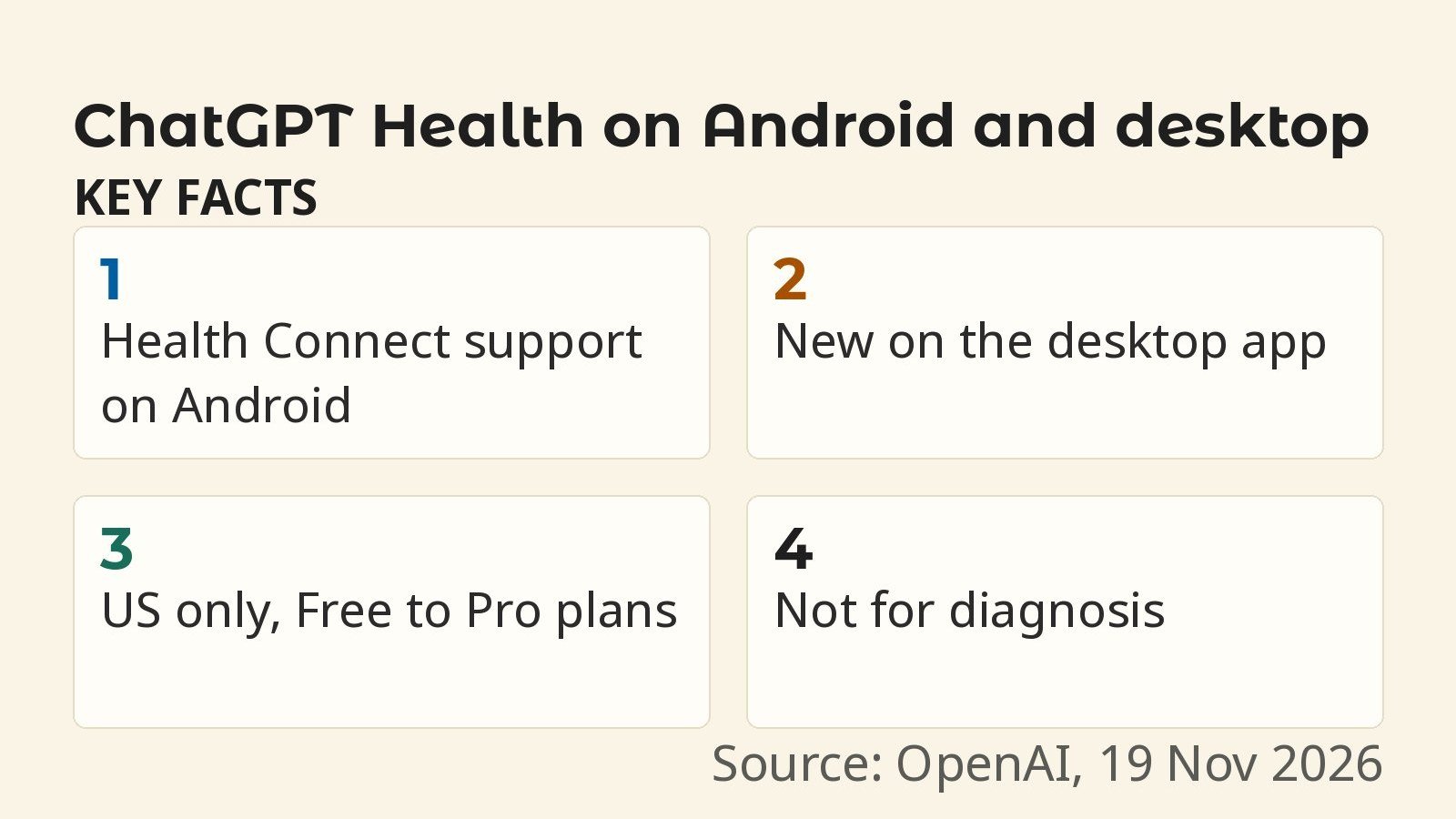
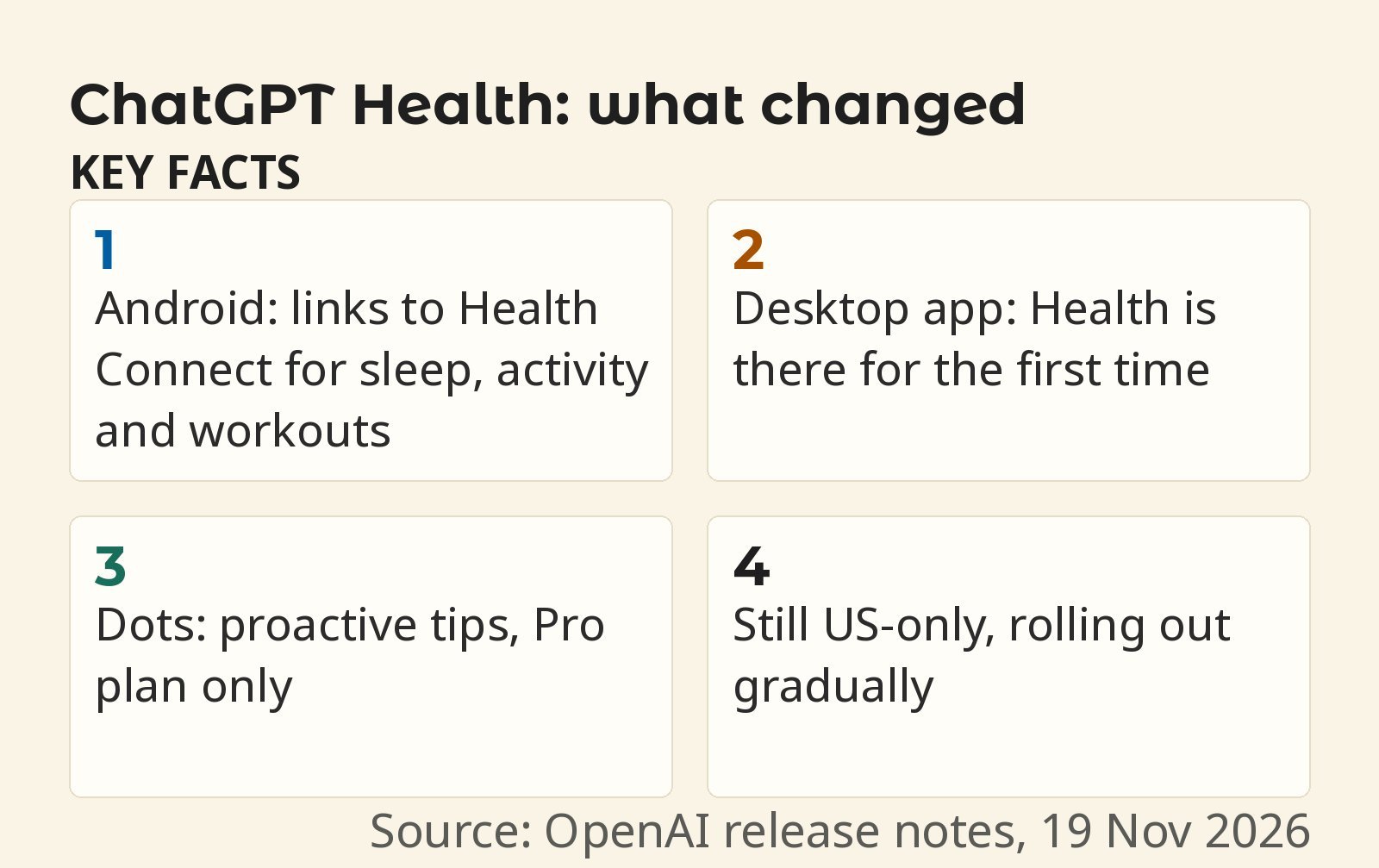
Quick answer: ChatGPT Health can now link to Health Connect on Android and works in the ChatGPT desktop app. On Android it can read sleep, activity and workout data from Health Connect, but only the categories you allow. It is still US-only, for Free, Go, Plus and Pro users, and OpenAI says it is rolling out gradually.
OpenAI announced the change in its ChatGPT release notes on 19 November 2026. This explainer uses those notes, OpenAI’s Health help page (read 25 November 2026) and reports from TechRadar, 9to5Mac and Becker’s Hospital Review. We have not connected our own health data to ChatGPT.
What changed on 19 November
Reports differ on where Health ran before. 9to5Mac said it worked on the web, iPhone and iPad, and that the update brings it to the desktop app for the first time.
Android Authority reported it was already in the Android app since July, but without a way to link Health Connect. Either way, the Health Connect link is new. OpenAI lists four new places:
- Android: Health can connect to Health Connect, Google’s hub for fitness and wellness data, to look at patterns in your sleep and activity.
- Desktop app: OpenAI’s example is comparing how you sleep after morning or evening workouts.
- Dots: OpenAI’s agents can suggest another workout time when a meeting clashes, or remind you about preventive care based on connected medical records. Dots need a Pro plan.
- Sites: you can build a page that tracks something like marathon training. Sites need Plus or Pro.
Who can use it
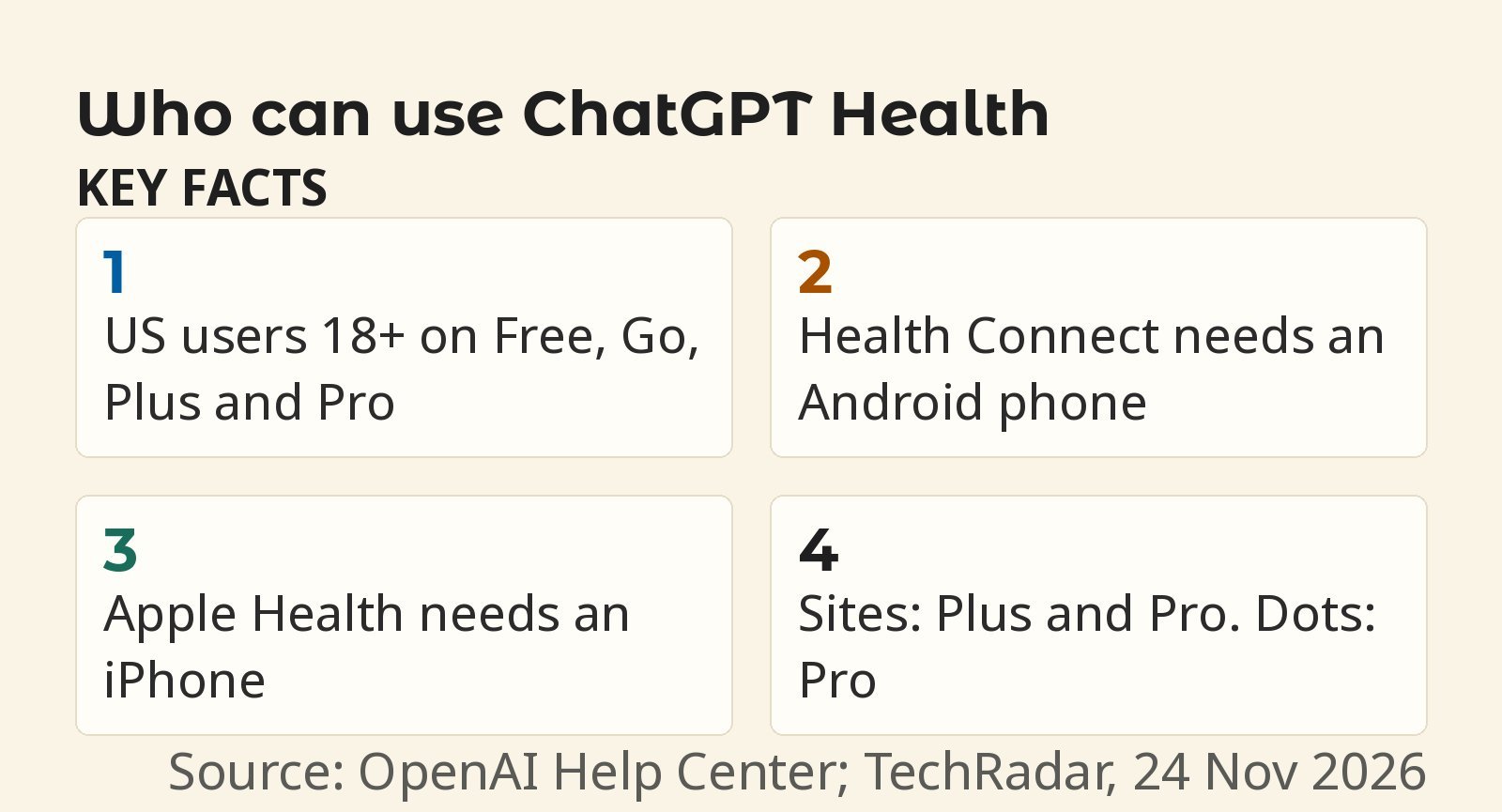
Health is for logged-in users in the US on the Free, Go, Plus and Pro plans. TechRadar (24 November 2026) adds that you must be 18 or older. Becker’s Hospital Review reports the same plans and the gradual rollout.
The data source depends on your phone. Health Connect works only from an Android device, and Apple Health only from an iPhone. You can also link supported US medical record portals, One Medical and Function Health. Parents can turn Health off for a linked teen account.
OpenAI’s getting-started advice is short: update the ChatGPT app and select Health in the sidebar, or find it in the Explore menu if it is not listed. TechRadar describes the same route.
How Health Connect fits in
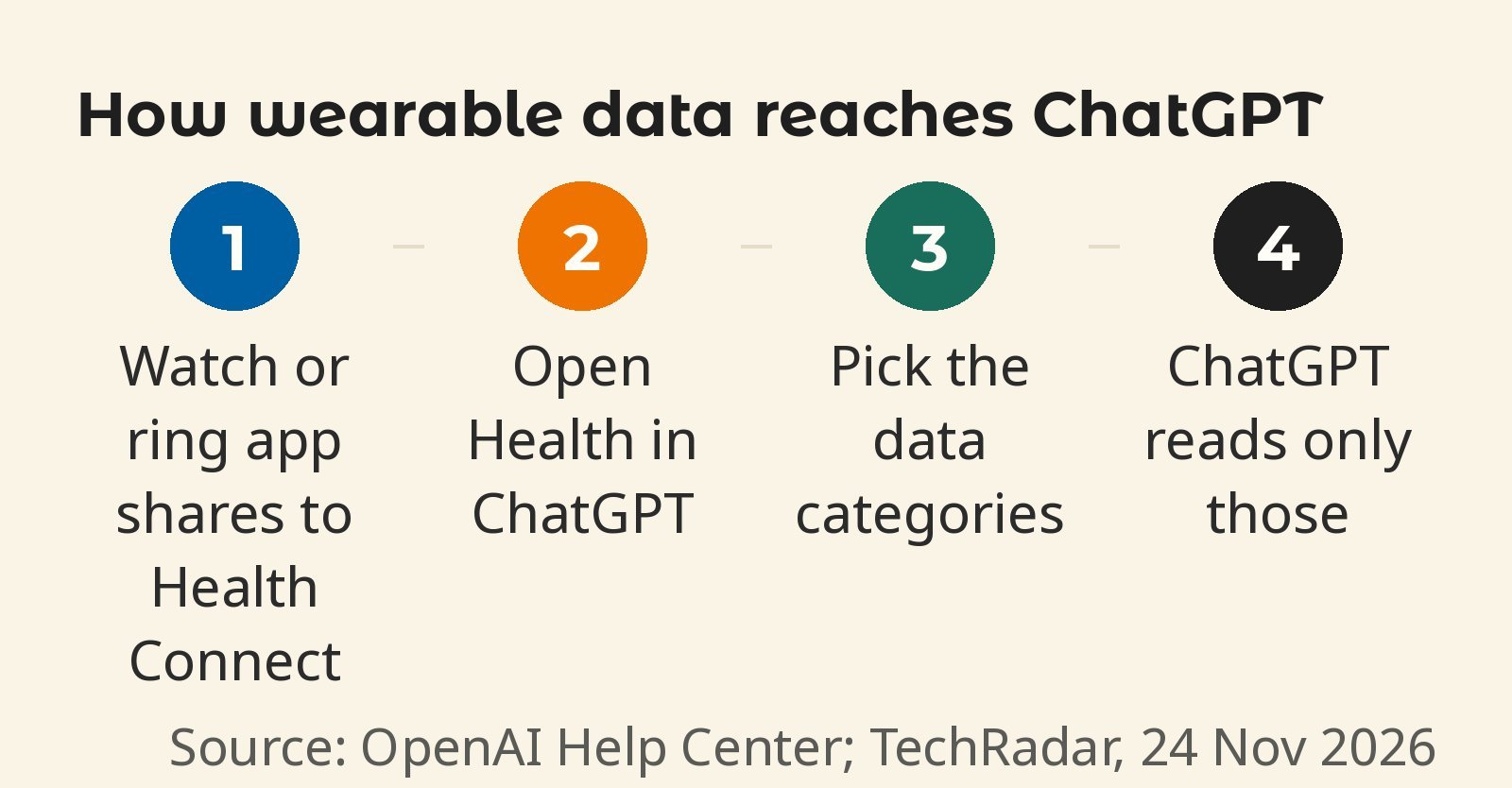
ChatGPT does not talk to your watch or ring directly. OpenAI says apps such as WHOOP, Oura, Garmin, Strava and MyFitnessPal must first share their data with Health Connect. ChatGPT can then read what those apps make available, and only the data categories you approve.
OpenAI warns that some brand-specific scores may not transfer. TechRadar makes the same point: how much ChatGPT learns depends on what your devices record and what their apps pass on.
Once data has synced, you can ask about it in any chat. Adding @Health to a message tells ChatGPT to use your connected data. You can add or remove sources later under Health > Accounts.
What OpenAI says about privacy
These points come from OpenAI’s help page. We could not check them independently.
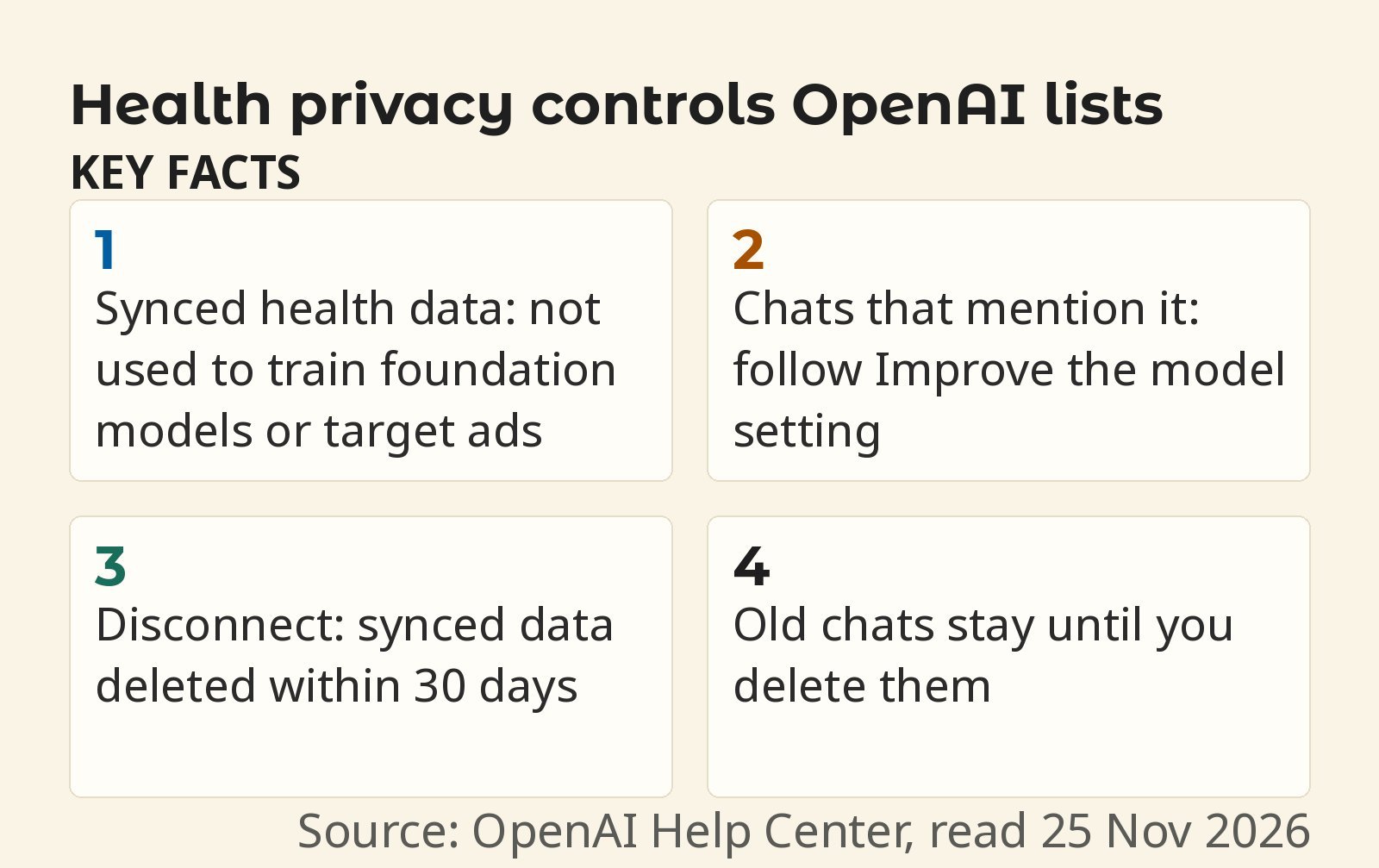
- Training and ads: data synced through Health is not used to train OpenAI’s foundation models or to target ads.
- Your chats: conversations that mention your health data follow your model-improvement setting. To opt out, turn off Improve the model for everyone in Settings > Data Controls.
- Memory: health chats can create memories when memory is on. Temporary Chat avoids that.
- Permissions: Health follows your plugin setting, which defaults to “Allow low-risk actions”. You can change it in Settings > Plugins > Health.
- Disconnecting: data synced from a source is deleted within 30 days. Anything already in your chat history stays until you delete those chats.
If you also use Google’s assistant, our guide to what happens when you delete Gemini chats covers its own deletion rules.
Before you connect: OpenAI says Health supports medical care but is not for diagnosis or treatment.
Share only the categories you need. In a 2 November teardown, Android Authority found code for a background health-data permission. OpenAI’s help page does not say whether the live app uses it, so check what ChatGPT can read in your Health Connect settings.
Why this matters for Android users
When Health rolled out widely in July, Android users could not link their fitness data. Android Authority noted at the time that Apple Health was supported but Google’s equivalent was missing. Health Connect support closes that gap.
If you used the older Health experience, your past chats and files stay in a Health project under Projects. They do not move into the new Health tab. For other recent ChatGPT changes, see our explainers on ChatGPT Space for Plus and Live Dictation.
Get new guides first
Browser alerts for new TechKwiz guides.