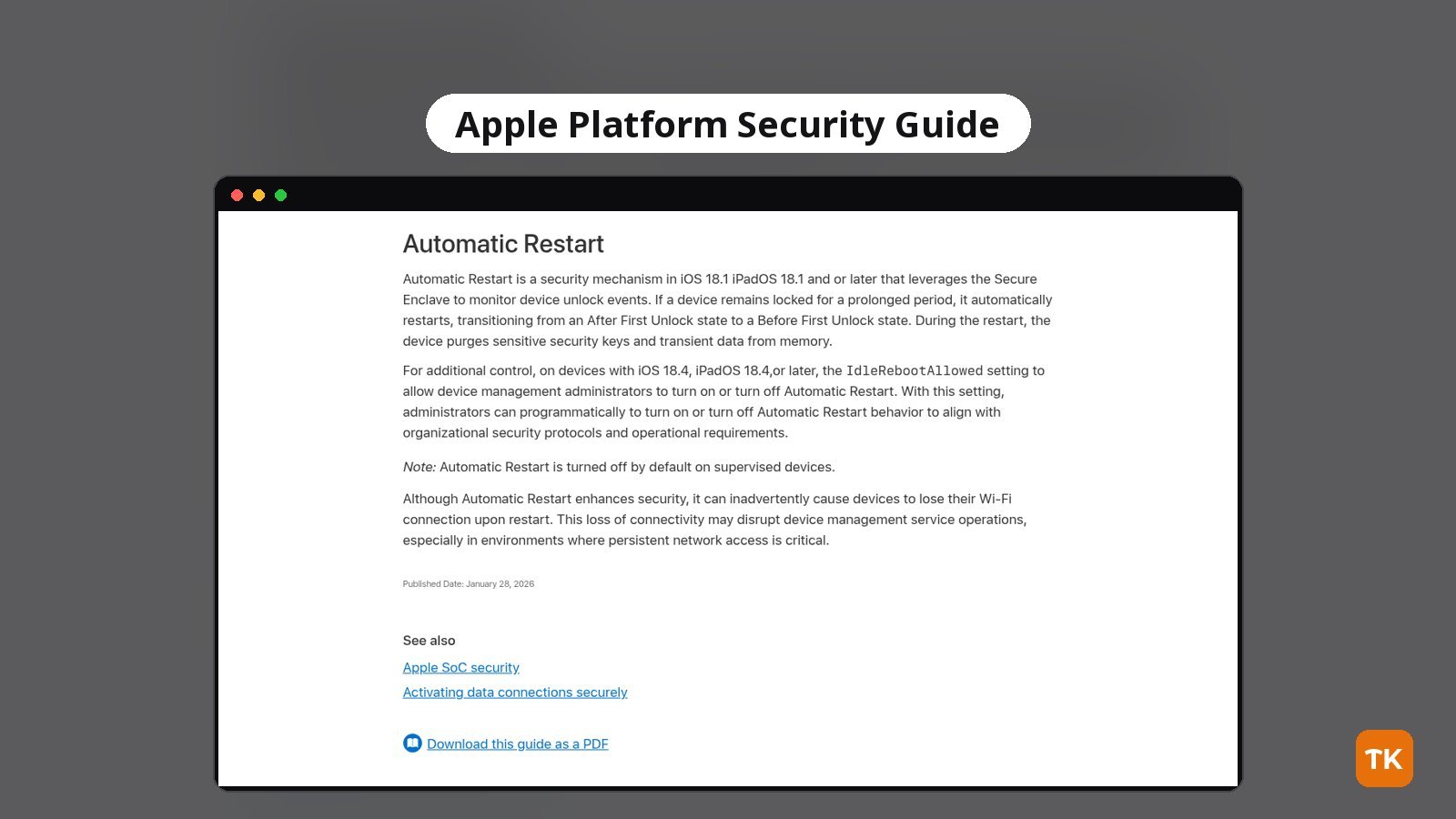
Apple’s “Automatic Restart” feature, which security researchers and news outlets have nicknamed the iPhone inactivity reboot, restarts an iPhone that has stayed locked for a long stretch of time. The restart moves the device from a more accessible state into one where data is fully encrypted and much harder to extract. Apple’s Platform Security Guide describes it as a security mechanism designed to protect user data when a device is out of the owner’s control for a prolonged period.
TechKwiz hasn’t tested this feature directly. This explainer is based on Apple’s current documentation, fetched 21 November 2026, and on reporting about independent research, not a hands-on test of a 72-hour idle timer.
Quick answer
- Apple calls the feature Automatic Restart, and it reboots a locked device after a prolonged period to return it to a more secure, fully encrypted state.
- Researchers measured a 72-hour timer, reported by Jiska Classen and confirmed by Magnet Forensics, but Apple does not publish an exact number of hours.
- There is no consumer on/off switch. Apple only documents an enterprise device-management control for managed iPhones and iPads.
What Apple’s “inactivity reboot” actually does
Apple’s Platform Security Guide says Automatic Restart is a security mechanism in iOS 18.1 or iPadOS 18.1 and later. It uses the Secure Enclave to monitor device-unlock events. If the device stays locked for a prolonged period, it restarts on its own.
That restart changes the device’s state from After First Unlock to Before First Unlock. In doing so, Apple says, it purges security keys and transient data from memory. The result is a phone that is harder to extract data from without the passcode.
Apple does not publish an exact number of hours anywhere in that guide. The phrase most people hear, “inactivity reboot,” is press and researcher shorthand, not Apple’s own term.
How researchers found the 72-hour timer
The specific 72-hour figure is not from Apple. It was measured and reported by security researchers. TechCrunch reported that Jiska Classen, a researcher at the Hasso Plattner Institute, published a video showing an iPhone left alone rebooting itself after 72 hours.
Magnet Forensics, the company behind the Graykey forensic tool, independently confirmed the same 72-hour timer. That independent measurement is why the number keeps appearing in coverage of this feature, even though Apple’s own documentation stays vague. Classen put the practical effect this way:
“Three days is still plenty of time when coordinating steps with professional analysts.” — Jiska Classen
Before First Unlock vs. After First Unlock, in plain terms
After you restart an iPhone and enter your passcode for the first time, the phone moves from Before First Unlock into After First Unlock. In Before First Unlock, Apple’s security guide says data is fully encrypted and very hard to access without the passcode.
After First Unlock is a more accessible state. Some data has been decrypted in memory, which makes it easier for forensic tools to pull information from a locked phone even without the passcode. TechCrunch’s reporting describes these states using another researcher’s shorthand: Tihmstar calls After First Unlock devices “hot” and Before First Unlock devices “cold”. That nickname comes from Tihmstar, not from Apple. The inactivity reboot simply forces a phone from hot back to cold once it has sat locked and untouched for long enough.
Which iPhones and iOS versions have it
Apple’s Platform Security Guide links Automatic Restart to iOS 18.1 and iPadOS 18.1 or later, and does not list specific iPhone models. The documented requirement is the software version, not a particular hardware generation. If your iPhone runs iOS 18.1 or later, the feature is on by default according to Apple’s guide.
Here’s a quick scan of what Apple’s current documentation says:
- Minimum iOS version: iOS 18.1 or iPadOS 18.1 or later for Automatic Restart.
- On by default: Yes, for ordinary consumer iPhones.
- Turned off by default: Only on supervised devices, which are managed or enterprise-owned.
- MDM control: Apple’s deployment guide lists an “Idle reboot allowed” setting for managed devices.
For another Apple authentication change, see our guide to Face ID in iOS 18.2 beta.
Can you turn it off?
No, not from the Settings app. Apple does not document any consumer-facing on/off switch for Automatic Restart, so average users cannot toggle this feature off.
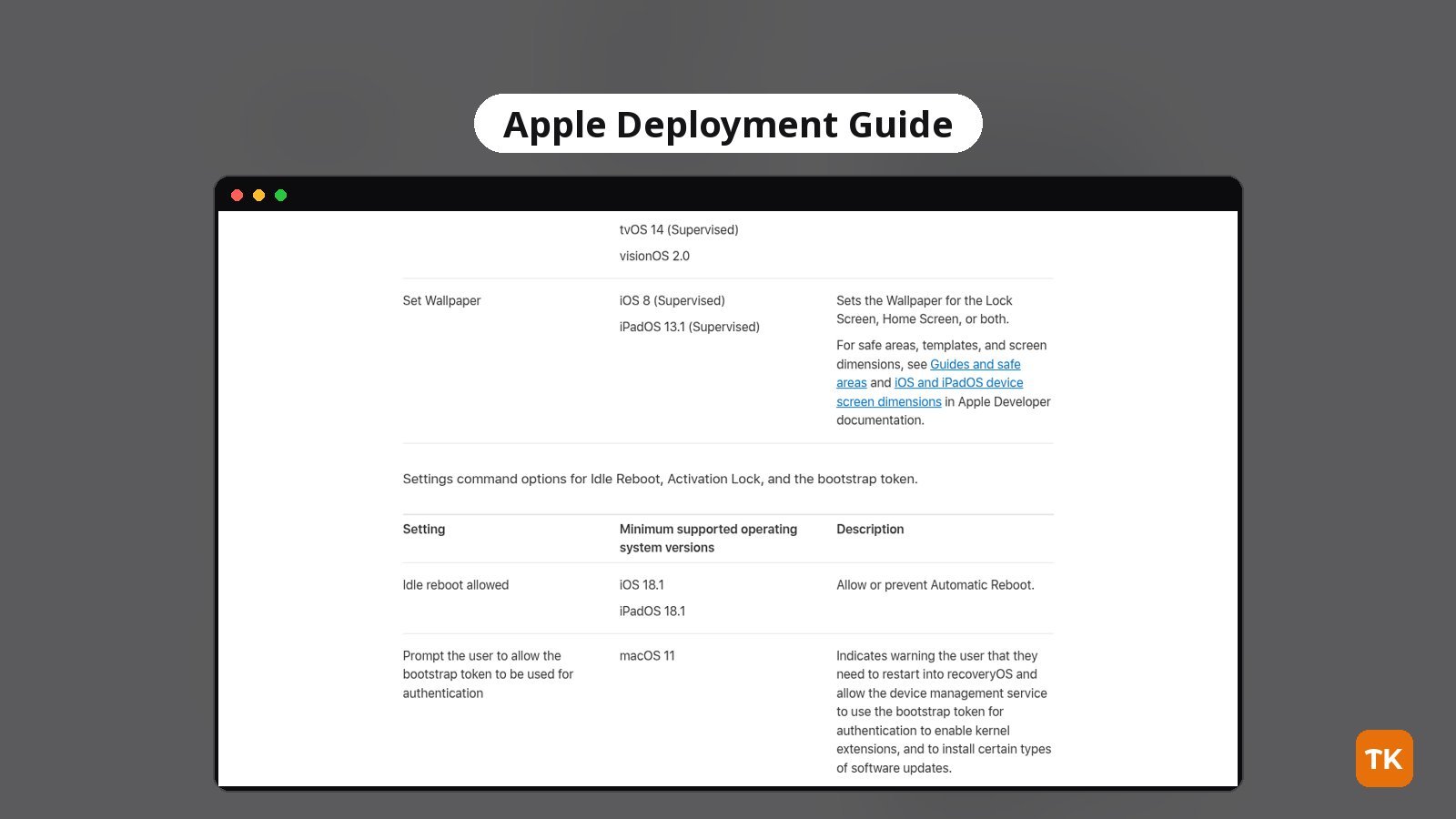
The only documented control is for managed devices. Apple’s Device management command settings options list includes a control called “Idle reboot allowed,” with a minimum of iOS 18.1 and iPadOS 18.1, described there as “Allow or prevent Automatic Reboot.”
There is a small inconsistency worth knowing about. That deployment page ties the control to iOS 18.1 or iPadOS 18.1, while Apple’s Platform Security Guide ties the named IdleRebootAllowed control to iOS 18.4 or later. TechKwiz can’t say which page is right, but both describe an MDM/IT-administrator control, not a toggle in the iPhone Settings app. Apple also notes that allowing this restart on managed devices can disrupt Wi-Fi or device-management connectivity when the reboot happens.
Why this matters even if you’re not a criminal or a cop
You likely won’t notice Automatic Restart unless you leave your phone locked for three days straight. But if it’s lost, stolen, or seized, the reboot changes what someone else can pull from it: a “hot,” After First Unlock phone can leak more to forensic tools than a “cold,” Before First Unlock one.
The practical takeaway is simple: a locked iPhone is already protected, and one that has been locked long enough to reboot itself is even more protected, automatically, with nothing for you to configure. If you care about keeping your data away from someone else who is holding your device, this feature already works in your favor, and it applies across the iPhone lineup rather than to one specific model or chip generation (the kind of hardware difference we weigh in our iPhone 16 Pro vs Pixel 9 comparison).
Automatic Restart protects the whole device after a long idle stretch, but it’s a different layer from the app-level privacy signals people usually ask about, like Instagram’s screenshot notifications. One is Apple’s system-wide defense against a phone falling into the wrong hands; the other is a single app’s policy for what it tells other users.
Get new guides first
Browser alerts for new TechKwiz guides.